
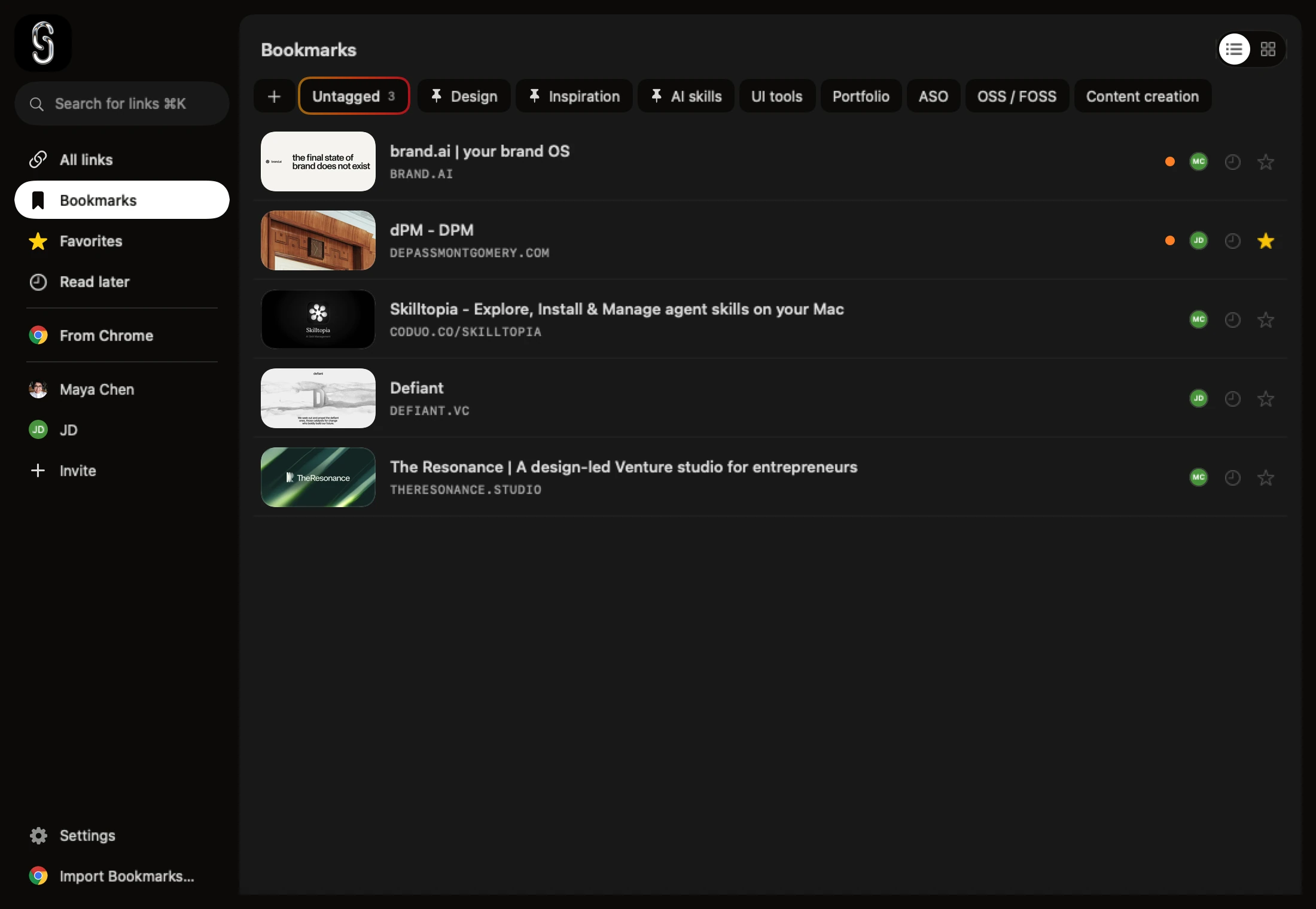
Shareling is a bookmark manager whose account never holds your links. You install it on a Mac (the iPhone and iPad apps are coming soon), sign in once with a free Shareling account, and every link you save is stored in a database on that device. No Shareling server holds your library.
That matters if what you dislike about a bookmark service is where your library lives: on someone else's servers, behind their login, with an app that cannot save while you are offline. The Mac app is out now and the iPhone and iPad apps are coming soon, so what follows about the iPhone describes the app that is coming. Everything below is read from the code.
Do I need an account to use Shareling?
On the Mac, you need a free Shareling account to open the app, and nothing beyond it. The first time Shareling starts, the notch shows a Sign in button; signing in goes through the Shareling website with your Apple Account, and from then on the library is unlocked. The app is free, so signing in is all it checks.
What the account does not do is store your links. Saving, tagging, searching and backing up stay on your Mac. Shareling's iCloud policy says so in its code: local data is never deleted for want of an iCloud account, and with no iCloud account the app runs local-only and keeps every link.
The iPhone app, when it ships, has no sign-in screen in the current code outside debug builds.
Where are my links stored?
Your links are stored in a database file on your own device. On the iPhone and iPad, the app and its share extension write to the same file in a container they share, which is why a link you share to Shareling will be saved even offline or with the app closed.
When you are signed in to iCloud, a release build of Shareling syncs that database through your own iCloud: one sync engine for your private links, and one for the links you share with a person. Debug builds leave sync off. Either way the copy on your device is the one the app reads, and iCloud carries changes between your devices. There is no Shareling server in that path.
What is a Shareling account for, then?
The account unlocks the Mac app and carries your plan. Shareling Pro, the paid plan, lets you start sharing with new people, and a channel between two people stays open while either of them has Pro, so you can receive links from a friend who pays without paying yourself. On the Mac the account sits at the bottom of Settings, and the Mac also uses it to check for app updates. Prices are on the plans page.
None of that touches your own library. If you only keep links for yourself, the free account is all you need, and it never sees a link.
How does that compare with Raindrop.io and browser bookmarks?
Raindrop.io keeps your library in its cloud; Shareling keeps it on your device and in your iCloud. Your browser's own bookmarks sit in between. Here is how the three handle it:
| Raindrop.io | Safari or Chrome bookmarks | Shareling | |
|---|---|---|---|
| Account to start | Raindrop.io account; its app asks you to log in | None beyond the browser | A free Shareling account on the Mac |
| Where the library lives | Raindrop.io's cloud, on AWS servers in Frankfurt | On the device; synced by iCloud (Safari) or your Google Account (Chrome) | On the device; synced by your own iCloud |
| Save a link offline | No: its app needs a connection to save | Yes | Yes, from the iPhone share sheet once the iPhone app ships |
| Share with someone | Collaborators need a free Raindrop.io account | Not documented for bookmarks | The other person needs Shareling and iCloud |
Raindrop.io is open about this. Its security page says your data is stored on AWS in Frankfurt with three copies, and that it makes money only from Pro subscriptions, with no advertising and no selling of user data. If you are happy with that, Raindrop.io also runs on Android, Windows and the web, which Shareling does not. Shareling can import a Raindrop.io export, folders and tags included.
Browser bookmarks are the baseline, and they already work without a new account. Safari bookmarks sync between your devices through iCloud, and Chrome syncs bookmarks when you sign in with a Google Account. What they lack is a way in from every app: Shareling puts itself in the iPhone share sheet, so a link from a chat or a social app lands in the same library. GoodLinks also syncs through iCloud with no account to create, and Anybox syncs through your own iCloud too; see the GoodLinks and Anybox comparisons for where they do better.
What are the limits?
The limits come from building on Apple's iCloud rather than on a server of Shareling's own:
- Apple only. The Mac app needs macOS 26 or later, and the iPhone and iPad apps coming soon need iOS and iPadOS 26. There is no Android, Windows or web app.
- iCloud is still a cloud. Syncing between your devices stores your links in your iCloud account on Apple's servers. Shareling's own servers never hold them, but they are not offline-only once sync is on.
- No sync without iCloud. Signed out of iCloud, each device keeps its own library, and nothing moves between them.
- Backup is on the Mac. File > Export Backup… writes one JSON file of your links, the links people sent you, your notes and your tags, and File > Import Backup… reads your own links back. The iPhone app has no export of its own.
How do I start?
Sign in, then save a link; there is nothing else to set up.
- Open Shareling on the Mac and sign in from the card in the notch.
- Drag a link to the top of the screen and drop it on the Bookmarks tile, so it stays in your own library. When the iPhone and iPad apps arrive, the same step is Share, then Shareling, with Self selected under Send to.
- Add a note or a
#tagif you like. - Choose Import Bookmarks… at the bottom of the library sidebar to bring in an existing Chrome or Raindrop.io library, with each folder becoming a tag.
- To keep a copy outside the app, choose File > Export Backup… on the Mac.
If you want a bookmark manager that never puts your library on its own servers, open Shareling and keep your first link on Bookmarks: it is stored on your Mac at once, with no server of ours in the way.
Frequently asked questions
Is there a bookmark manager that doesn't keep my links on its servers?
Yes. Shareling keeps your links in a database on your Mac and syncs them through your own iCloud when you are signed in to it; no Shareling server holds them. The Mac app does ask you to sign in once with a free Shareling account. Your browser's own bookmarks need no extra account, and GoodLinks syncs through iCloud with no account to create. Raindrop.io keeps your bookmarks in its own cloud and asks you to log in with a Raindrop.io account.
Does Shareling work without iCloud?
Yes, on one device. With no iCloud account, Shareling runs local-only: you can save, tag and search links, and nothing is deleted. Links do not reach your other devices until you sign in to iCloud.
What do I need a Shareling account for?
On the Mac, to open the app at all: the app is free, and signing in unlocks it. The account also carries Shareling Pro, which lets you start sharing with new people, and the Mac uses it to check for updates. It never holds your links.
Can I export my links from Shareling?
On the Mac, yes: File > Export Backup… saves one JSON file with your links, the links people sent you, notes, tags and read state, and File > Import Backup… reads your own links back.
Send a link to the person you mean it forShareling is a Mac app for sending a link to one person and keeping the links you save, synced through your own iCloud.